Share this article

How to Reduce Wait Times During Peak Hours

Every restaurant manager knows the feeling: the Saturday dinner rush hits, tickets are piling up, guests are checking their watches, and your best server is sprinting between three tables at once. Peak hours are where reputations are won — or quietly lost. 

The good news? Most of the friction that slows down service isn’t random. It’s predictable, and with the right restaurant management system in place, it’s manageable. In this article, we’ll walk through the operational strategies that actually move the needle on wait times, with a focus on how your point of sale system can act as the nerve center of a faster, smoother operation. 

Why Peak Hours Break Down: The Root Causes 

Before you can fix slow service, you need to understand where the bottlenecks actually are. In most full-service and fast-casual restaurants, waittimes spike for one or more of these reasons: 

  • Orders are entered manually and slowly, especially during the onboarding of new staff. 
  • The kitchen receives tickets out of priority order or with missing information. 
  • Tables are turned over inefficiently — guests are ready to leave, but no one notices. 
  • Payment processing creates a final bottleneck when guests are ready to go. 
  • Communication between the front of house and kitchen relies on shouting or paper. 

A modern restaurant management system addresses each of these choke points systematically. Let’s go through them one by one. 

Speed Starts at the Table: Tablet-Based Ordering 

One of the most significant changes a restaurant can make is transitioning from paper-and-pen order taking to tablet-based ordering. When servers use an iPad ordering system, orders are sent directly to the kitchen the moment they’re placed — no transcription, no lag, no illegible handwriting, confusing the line. 

The best iPad restaurant POS systems are designed with speed in mind: large touch targets, customizable modifier flows, and menu structures that guide servers through upsells without slowing them down. For high-volume environments — whether you’re running a busy bistro or a crowded sports bar — this single change can shave minutes off every order cycle. 

Table Ordering Workflows That Reduce Trips 

Beyond the speed of entry, the right POS systems with table ordering capabilities enable servers to manage their sections more efficiently. Features like visual table maps, course-by-course firing, and seat-level ordering reduce unnecessary back-and-forth to the kitchen and the POS station. 

When a server can see the real-time status of every table in their section — who’s waiting on food, who’s finished, who needs their check — they can prioritize proactively rather than reactively. This is the difference between a section that hums and one that spirals. 

Efficiency for your restaurant

Discover how VeronaPOS’s cloud-based features benefit your restaurant. 

The Kitchen Display System: Your Most Underrated Weapon 

If there’s one technology that has the most direct impact on kitchen speed, it’s the Kitchen Display System (KDS). A KDS replaces paper tickets with a digital screen that shows incoming orders in real time, organized by priority, station, and elapsed time. 

How a KDS Cuts kitchen wait times: 

  • Orders appear on screen the instant they’re entered into the restaurant POS software, eliminating the printer-to-expo delay. 
  • Color-coded timers alert cooks when a dish is approaching or exceeding the target prep time. 
  • Items can be routed to the right station automatically — cold apps to one screen, hot mains to another. 
  • Expeditors get a unified view of every open ticket, making it easier to coordinate plates and call orders to the pass. 

When integrated with a solid restaurant order management system, the KDS also feeds back into your reporting. You can see average ticket times by day part, by server, and by menu item — which gives you the data you need to staff correctly and spot recurring bottlenecks before they become patterns. 

SMS Alerts and Real-Time Guest Communication 

Queue management is one area where technology has radically changed the guest experience — but many restaurants haven’t fully caught up yet. If guests have to stand awkwardly at a host stand watching a buzzer light up, that’s a missed opportunity. 

Modern restaurant software supports SMS-based waitlist systems that let guests leave their phone number, walk around freely, and receive a text alert when their table is ready. This reduces perceived wait time, keeps the entrance clear, and signals to guests that your operation is organized and guest-focused. 

What to look for in a POS-integrated waitlist: 

  • Automated SMS alerts are triggered when a table is marked as ready in the POS. 
  • Two-way messaging so guests can confirm or cancel their spot. 
  • Real-time waitlist visibility on a host-facing dashboard. 
  • Integration with your restaurant management app so hosts and servers are always on the same page. 

For bars, especially, where the flow of guests is less predictable and table availability changes quickly, a good bar point of sale system with built-in or integrated queue management is a significant operational advantage. The best bar POS systems on the market increasingly bundle these features natively — or connect seamlessly with third-party waitlist tools. 

Faster Payments, Faster Turns 

The end of a meal is just as important as the beginning. A table that’s ready to leave but waiting on a check is a table that’s blocking the next seating — and those minutes add up fast during a peak shift. 

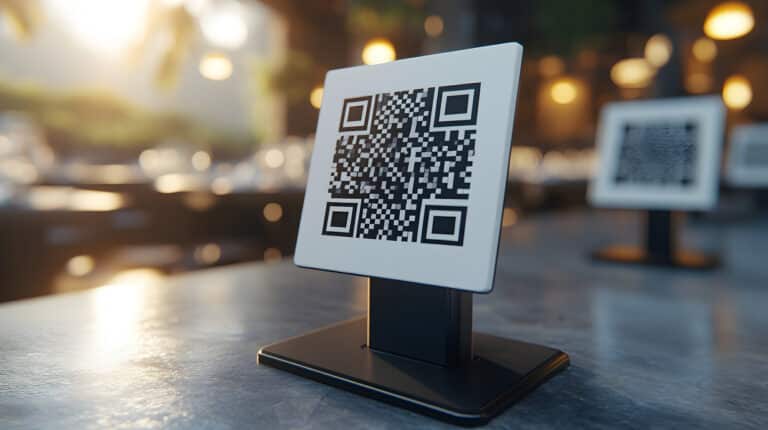
The best restaurant point of sale systems allow servers to print or send a check with a single tap, accept payment tableside via card reader or QR code, and close a ticket without ever leaving the guest’s side. Some restaurant POS also support pay-at-table functionality where guests can split the bill, add a tip, and complete payment from their phone — no server interaction required at the final step. 

Payment features that accelerate table turns: 

  • Tableside card readers paired with your restaurant POS. 
  • QR-code payment links sent via SMS or printed on the receipt. 
  • Automated tip suggestions to reduce decision time at checkout. 
  • Instant table status updates in the POS when payment is completed. 

For bars and fast-casual concepts, tab management is equally important. The best POS for bars allows bartenders to open and close tabs instantly, split payments across multiple guests, and reconcile at the end of the shift without manual counting. 

Staffing Intelligence: Using POS Data to Schedule Smarter 

No technology can fully compensate for being understaffed during a rush. But your restaurant management software can help you stop guessing and start scheduling based on real data. 

A well-configured restaurant operations platform tracks coverage by hour, day, and week — giving you a clear picture of when your peaks actually are (which often differs from when you think they are). With that data, you can build staffing templates that put the right number of servers and kitchen staff on the floor at exactly the right time. 

Top restaurant management software also allows you to track server performance metrics: average check size, covers handled per shift, and table turn time. This helps you identify who your strongest performers are during high-pressure periods — and where additional training might be needed. 

Putting It All Together: A Peak-Hour Playbook 

Here’s a practical framework for deploying these tools effectively before your next busy service: 

  • Audit your current wait times by stage: order entry, kitchen, and payment. Know where time is actually lost. 
  • Upgrade to tablet ordering if servers are still writing tickets by hand. Even one server with an iPad can outpace two with notepads. 
  • Deploy a KDS for every kitchen station. Train the team on color-coded timers and daily review ticket time reports. 
  • Add SMS waitlist management. Even a simple text alert system dramatically improves the guest experience during a wait. 
  • Enable tableside payment and QR checkout. Shaving three minutes off each check close adds up to multiple extra turns per section per night. 
  • Use your restaurant POS data to schedule smarter. Let the numbers tell you when to bring in an extra server or a second bartender. 

Peak hours aren’t going away — and they shouldn’t. A full house is the point. The goal is to build an operation that handles volume without sacrificing the experience that brought guests in the first place. 

A modern restaurant point of sale isn’t just a cash register. It’s a coordination platform — the connective tissue between your front of house, your kitchen, and your guests. When it’s configured well and your team is trained on it, it doesn’t just process transactions. It actively reduces friction at every step of the service cycle. 

Related content

How to Reduce Wait Times During Peak Hours

Every restaurant manager knows the feeling: the Saturday dinner rush hits, tickets are piling up, guests are checking their watches, and your best server is sprinting between three tables at once. Peak hours are where reputations are won — or quietly lost.

Read more →